
 Sixth Day Studios

CryptoWarden
LiveYour crypto tax, worked out for you. Drop in the CSV files from your exchanges and get a capital gains report by Australian financial year, ready for your accountant or tax return.
Free no account needed
- It runs in your browser. Your files are read on your own device and never uploaded, and the page makes no network requests at all.
- CSV files go in and a PDF comes out, in three steps (import, check, report).
- There's no sign-up, and no ads or upsell.
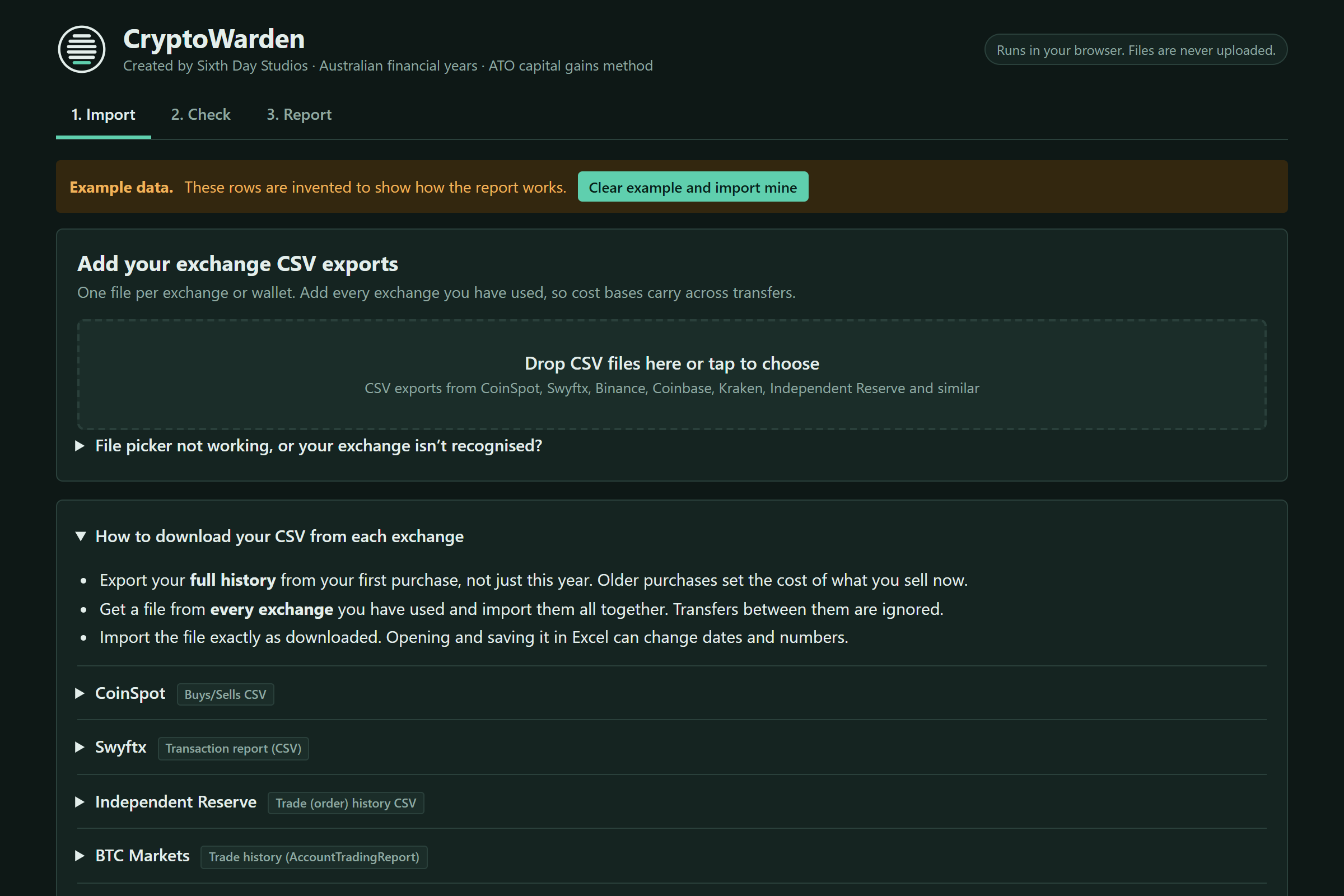
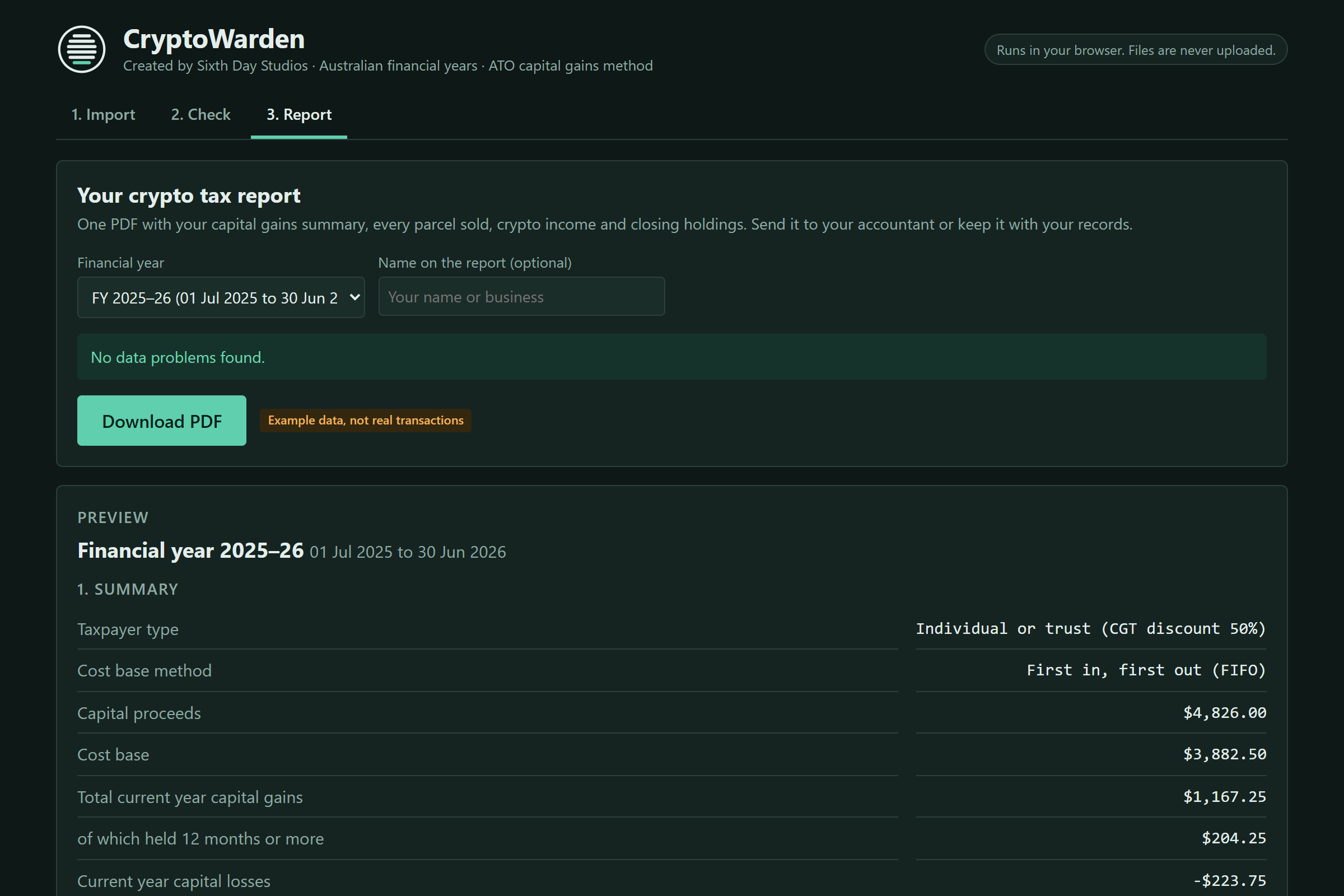
How it works
- 1. Import. Add the transaction CSV from each exchange. Columns are matched automatically, and the page explains how to download the file from each exchange.
- 2. Check. It flags anything that needs your attention, like a trade with no AUD value, and says plainly when there's nothing to fix.
- 3. Report. Pick the financial year, add your name, and download a PDF tax report. CSV files for your accountant are there too.
What it does
- It reads CSV exports from your exchanges, including CoinSpot, Swyftx, Independent Reserve, BTC Markets, Binance, Coinbase, Kraken, Crypto.com and others like them.
- The result is ready for your accountant or myTax. Parcels are matched first in, first out (FIFO), the method the ATO accepts when you can't identify exactly which units you sold. It only offers what the ATO accepts.
- The capital gains discount is 50%, 33⅓% or none, depending on who is lodging.
- Losses are carried forward from year to year.
- You get one report per Australian financial year, with a PDF built right in the page and CSV exports for an accountant.
Before you lodge
- Nothing leaves your device. The privacy policy has the details.
- Times without a time zone are read as Sydney time, and trades against another coin (like USDT) need an AUD value entered. The Check step asks for it.
- It's a calculator, not tax advice. It follows the ATO's capital gains method, but please check the report with a registered tax agent before you lodge.
Free to use
If CryptoWarden saved you time or an accountant's hour, you can chip in to keep it going. You don't have to, and it works the same either way.